Inbox Overview
The Fyncall Inbox is your central hub for managing all customer conversations across every channel — WhatsApp, Email, Instagram, and your website's chat widget — all in one place.
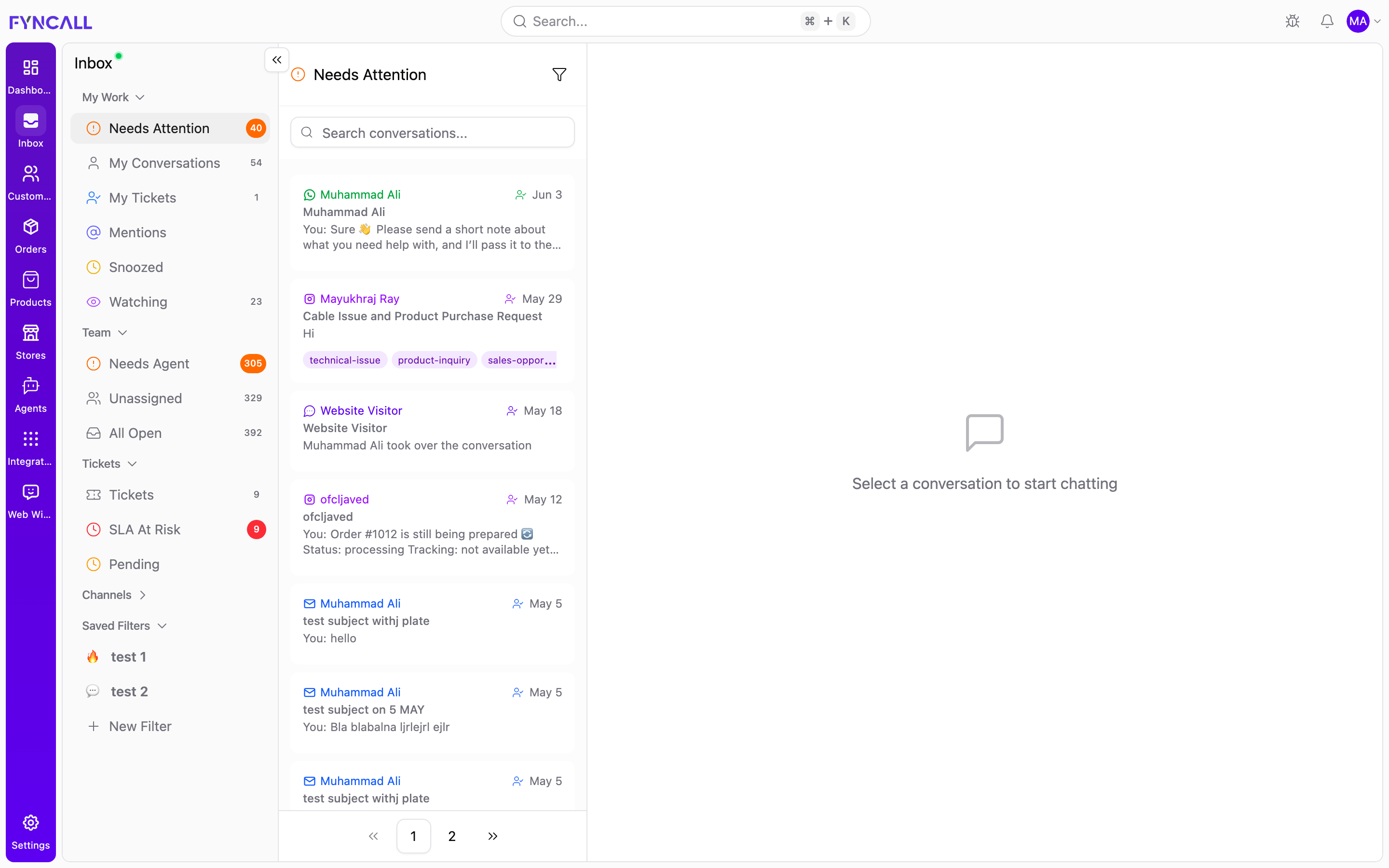
How It Works
Every customer message — whether it arrives via WhatsApp, Email, Instagram DM, or your website's chat widget — flows into a single inbox. Your AI agent handles routine questions automatically, while your team steps in for complex issues.
Inbox Layout
The inbox uses a three-panel design:
| Panel | What You'll See |
|---|---|
| Left Sidebar | Conversation queues, channels, tickets, saved filters |
| Center | Active conversation with full message history |
| Right Panel | Customer info, orders, tickets, activity, notes, AI Copilot |
Left Sidebar — Your Navigation
The sidebar organizes your work into sections:
My Work
Your personal queue — conversations that need your attention.
| View | What It Shows |
|---|---|
| Needs Attention | Conversations requiring immediate response (new messages, escalations, SLA risks) |
| My Conversations | All conversations assigned to you |
| My Tickets | Support tickets assigned to you |
| Mentions | Conversations where you were @mentioned |
| Snoozed | Conversations you've deferred for later |
| Watching | Conversations and tickets you're following |
Team
See what's happening across your whole team.
| View | What It Shows |
|---|---|
| Needs Agent | Conversations waiting for a human agent (AI escalated) |
| Unassigned | Conversations with no one assigned |
| All Open | Every open conversation across the team |
Tickets
Track and manage support tickets.
| View | What It Shows |
|---|---|
| Tickets | Every ticket in the system |
| SLA At Risk | Tickets nearing their response time deadline |
| Pending | Tickets waiting for customer or internal action |
See Tickets for the full ticketing workflow.
Channels
Expand a channel to filter conversations by where they came from:
| Channel | What It Shows |
|---|---|
| WhatsApp Business conversations | |
| Email threads | |
| Instagram DMs and engagements | |
| Web Widget | Website chat conversations |
Channels are dynamic — only the channels you've connected appear here. For how each channel behaves — its reply window and how to reply — see Messaging Channels.
Saved Filters
Save any combination of filters as a reusable view that lives in the sidebar. Use + New Filter to create one. See Saved Filters for details.
Center Panel — The Conversation
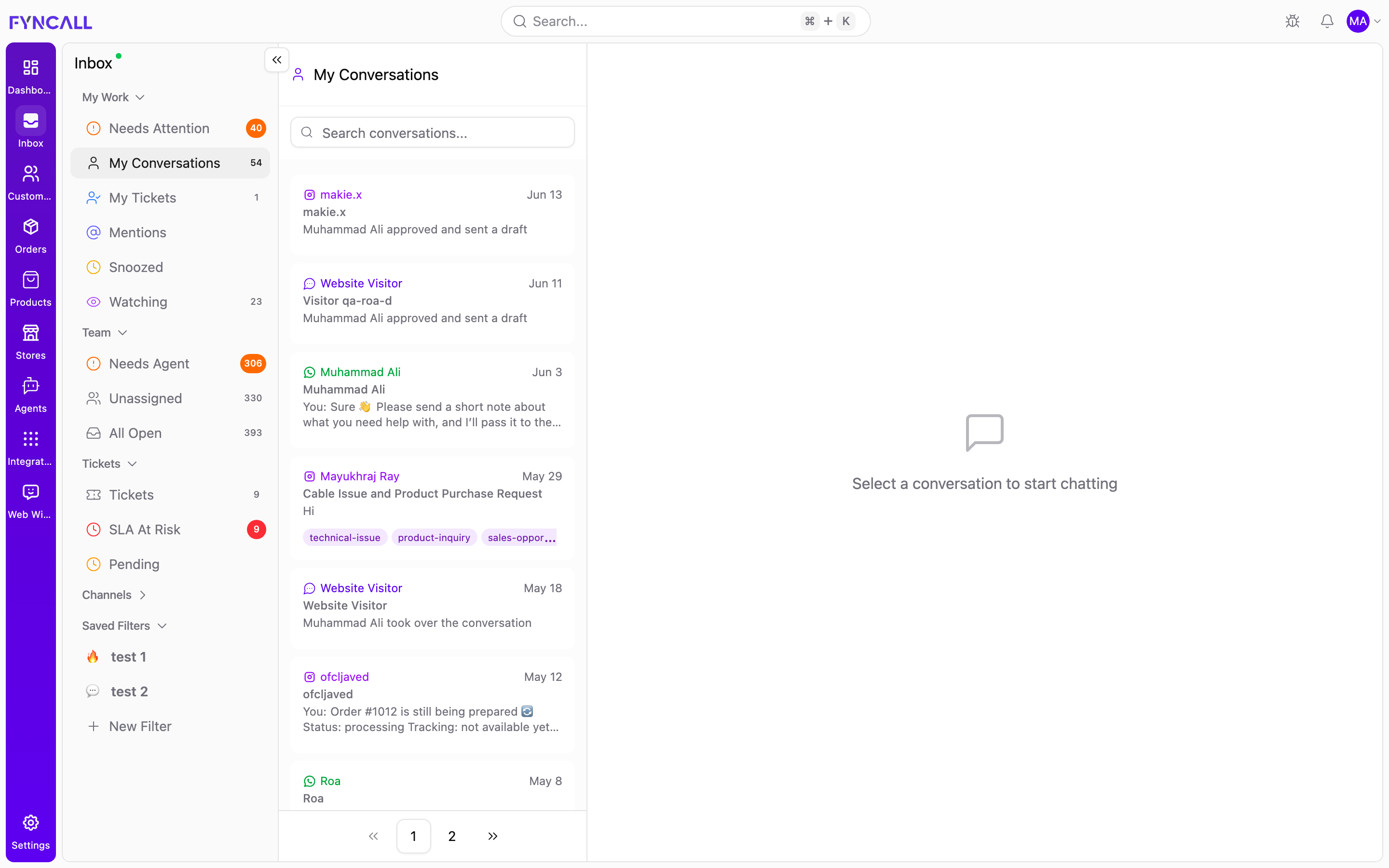
Each queue opens a searchable conversation list. Until you pick one, the chat area shows "Select a conversation to start chatting." When you select a conversation, the center panel shows:
- Chat Header — Customer name, channel, assignment status, and action buttons (Take Over, Release to AI, Snooze, etc.)
- Message Feed — Full conversation history with customer messages, agent replies, AI responses, and system events
- Chat Input — Where you type replies, attach files, send products, or use quick responses
Look for the purple badge on AI responses — it means the AI agent handled this message. A green badge means a human agent replied.
Right Panel — Customer Context
The right panel gives you everything you need to help the customer:
- Info — Contact details, location, customer since date
- Tickets — Related support tickets
- Activity — Timeline of who claimed, released, or resolved the conversation
- Notes — Internal notes visible only to your team
- Copilot — AI assistant that helps you draft replies, summarize conversations, and look up information
AI + Human Collaboration
Fyncall's inbox is designed for AI-first, human-when-needed support:
- AI Mode — Your AI agent responds automatically to customer messages
- Escalation — When the AI detects it needs help, it flags the conversation for your team
- Human Mode — An agent takes over and handles the conversation directly
- Release — When done, the agent can release the conversation back to AI
Even after escalation, the AI keeps helping the customer while waiting for an agent. The customer is never left without a response.
Real-Time Updates
Everything in the inbox updates in real-time:
- New messages appear instantly — no refresh needed
- Assignment changes reflect immediately
- Typing indicators show when a customer is writing
- Toast notifications alert you to important events (escalations, SLA warnings, @mentions)
- Badge counts on the sidebar update as conversations change status
What's Next?
- Conversation Queues — Learn about each queue view and how conversations are prioritized
- Managing Conversations — Claim, assign, take over, resolve, and snooze conversations
- Replying to Customers — Compose messages, attach files, and use quick replies
- Messaging Channels — How WhatsApp, Instagram, Email, and Web chat each work and how to reply
- AI Copilot — Get AI-powered help while handling conversations
- Tickets — Track and resolve support tickets with SLAs
- Saved Filters — Build and reuse custom inbox views
- Customer Info Panel — See contact details, orders, and activity
- Notifications & Mentions — Stay on top of escalations and @mentions
- Keyboard Shortcuts — Work the inbox faster